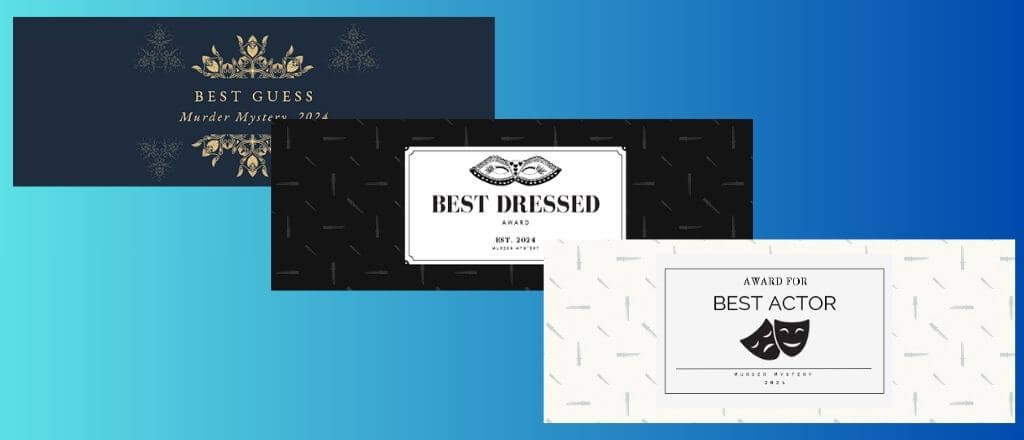
A great murder mystery requires attention to detail. There’s no better way to immerse your guests into gameplay than by having customized wine labels that fit the scene. You can either make the wine look like it fits within the scene, or use the wine as a gift for the murder mystery winner and print “Best Guess” or “Best Dressed” on it.
Murder Mystery Wine Labels Free Download
→ Get the free murder mystery wine label templates here
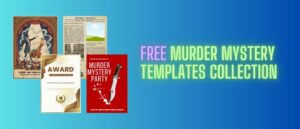
These templates are part of the complete free murder mystery template collection. All our templates are editable in Canva, all free to print at home.
Why Murder Mystery Wine Labels?
Wine labels can be used to personalize your murder mystery dinner. These labels help set the mood or provide your guests with clues that fit seamlessly into the experience. Here’s what custom wine labels can do for your event:
- Create Intrigue and Suspense: Names like “Blood Red Blend” or “Suspicious Sauvignon” play into the mystery theme and add to the suspenseful atmosphere.
- Reveal Hints and Clues: Certain labels can contain cryptic messages or clues that lead guests deeper into the storyline.
- Fit the Era or Theme: A Victorian-style label might feature Gothic fonts and faded colors, while a modern crime mystery could have bold, police report-inspired text.
- As a Gift: Unique labels can be created for the best dressed or best detective, and handed out as an award at the end of the game.
How to Apply the Wine Labels
Once you’ve customized and printed your labels, here’s how to get them ready for the big event:
- Print on Adhesive Paper: Use adhesive paper to make applying the labels to the bottles a breeze. If you don’t have adhesive paper, standard printer paper works too—just use a decent glue to apply it.
- Remove Existing Labels: To create a professional look, soak the wine bottles in warm soapy water to easily remove existing labels. Dry the bottles thoroughly before applying your custom labels.
- Apply Carefully: Place the center of the label on the bottle first, smoothing outwards to remove any air bubbles. Align the label for a polished, professional look.
- Set the Scene: Place the bottles on the dinner table, arranging them with themed glasses or props like vintage corkscrews, magnifying glasses, etc for an added touch of mystery.
How to edit the templates in Canva
The editing process is very, very simple:
- Click the template link above and it’ll open in your Canva browser tab. You may need to sign up for a free account, if you don’t already have one.
- Click on any text to edit it – change the wine name, the vintage date, the fictional name, and any body text.
- If you want, you can upload a photo by dragging and dropping it onto the design
- Adjust colours using the top toolbar if you want to match a specific theme palette
- Click Share, then Download as PDF (best for print) or PNG (best for digital sharing)
Tip: If you’re creating multiple different labels for one event and need one per bottle, each with a different character name or clue, you can duplicate each Canva page and edit each new design separately. You’ll end up with a single file containing all your labels, which can all be saved in one PDF to print at the same time.
Murder Mystery Wine Labels
Custom wine labels add a refined, immersive detail that will make your murder mystery dinner party experience stand out. The labels are conversation starters, and can provide clues to who the killer is. No matter the theme, wine labels are always a great piece to add. At events without alcohol, these templates can easily be customized to the required drink name.
What to add alongside the labels
We’ve got a bunch of other free templates that you’ll love:
- Free murder mystery party posters – wall decor for a variety of different murder mystery themes
- Free 1920s speakeasy newspaper – a fun addition to add to invitations with a short breakdown of the story
- Free murder mystery jazz music – copyright-free music created by us that you can use in the background. You’re guaranteed not to get a copyright strike if you upload any videos to YouTube.
- Free murder mystery award certificates – a bunch of different sized and styled award certificates. Make them look exactly the way you want.
For additional decor tips, our decorating tips for an immersive murder mystery atmosphere guide covers everything you could ever want to know.
Ready for the night?
If you’re in the planning stages, the complete guide to hosting a murder mystery dinner party has an easy timeline to follow for first-timers to get a clear picture of how these games work. The top 10 prizes for your murder mystery party has some low-cost options that you might not have thought of.
Frequently asked questions
Can I use these if I’m not serving wine?
Yes, absolutely. Every label is fully editable. Change the wine name to whatever drink you’re actually serving.
How many labels are in the set?
There are 3 designs at the time of writing this. Though I do add additional designs to my various free templates when I have some free time.
What paper size do I need?
The labels are formatted to print on standard A4 or US Letter paper. You’ll cut them to size after printing, so paper size is more about what fits your printer than what fits the bottle.

Sherwin has been creating amazing murder mystery case files since 2023 – and he has no plans to ever stop. His cases have earned rave reviews from players around the world, and he’s since expanded into full murder mystery dinner party games. With 10 years of experience under his belt creating digital products, he brings a sharp eye for design and detail to every crime scene he builds.